
Preview restaurant menu
Preview bar menu
Fast Checkin
Fast Checkout
Real time billing details
Easy communication with reception with message system
Instant bar order through ordering system
Constant improvement with new functions
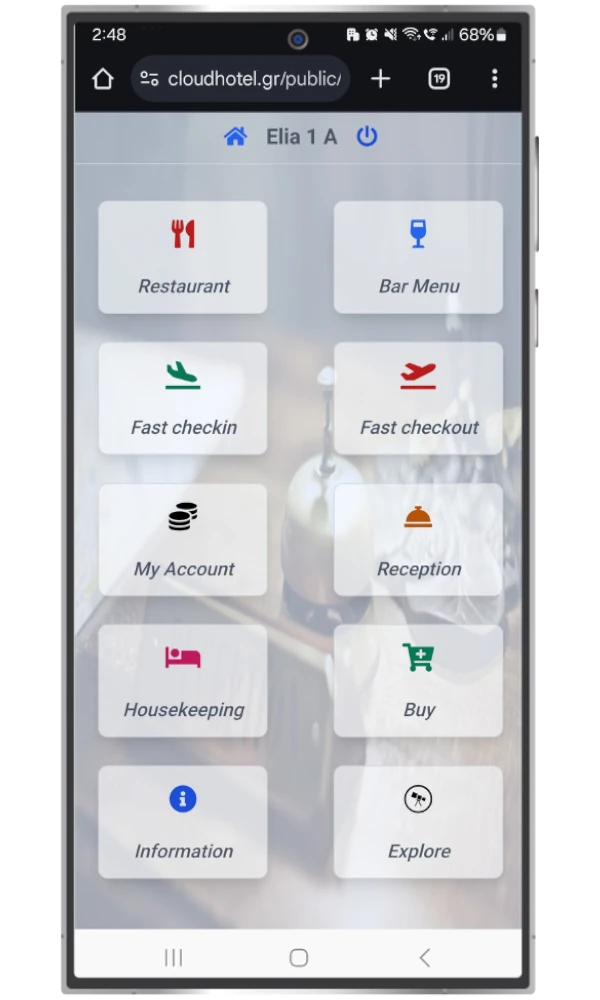
PDF view of Restaurant menu
PDF view of Bar menu
Easy to fill form for guest's details even after checkin process
View the full history of a guest room’s charges and credits. Includes all charges (even from the ordering system). Integration with Viva Account for instant guest payment without any action required from the reception.
Real time chat with reception
View of Affiliate Links for the hotel for nearby adventures.
Εισαγωγικό κείμενο καλωσορίσματος πελάτη, προβολή συνδέσμων αξιολογήσεων και ό,τι άλλο χρειαστείτε για να διευκολύνετε τον επισκέπτη σας.
Προτάσεις για τον πελάτη για το τι μπορεί να επισκεφτεί ή που να διασκεδάσει σύμφωνα με τα δικά σας κριτήρια.
PDF view of Restaurant menu
PDF view of Bar menu
Easy to fill form for guest's details even after checkin process
View the full history of a guest room’s charges and credits. Includes all charges (even from the ordering system). Integration with Viva Account for instant guest payment without any action required from the reception.
Real time chat with reception
View of Affiliate Links for the hotel for nearby adventures.
Εισαγωγικό κείμενο καλωσορίσματος πελάτη, προβολή συνδέσμων αξιολογήσεων και ό,τι άλλο χρειαστείτε για να διευκολύνετε τον επισκέπτη σας.
Προτάσεις για τον πελάτη για το τι μπορεί να επισκεφτεί ή που να διασκεδάσει σύμφωνα με τα δικά σας κριτήρια.
First you need to download the QR Code of your room. To find it, follow this path:
Settings / Rooms and we press the QR Code icon on the left side of the Room name.
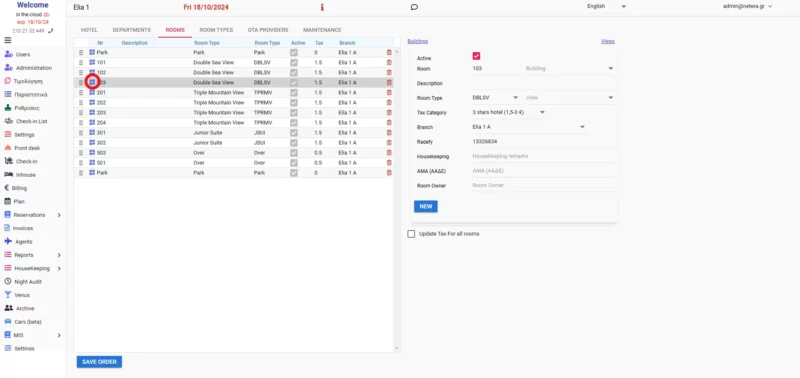
After we click the QR Code icon, we see a new pop up with our QR Code and a "Download" button.
We download the QR Code as an image and we print it as we wish (on paper, as a sticker or something else).
Place the printed QR Code at it's room.
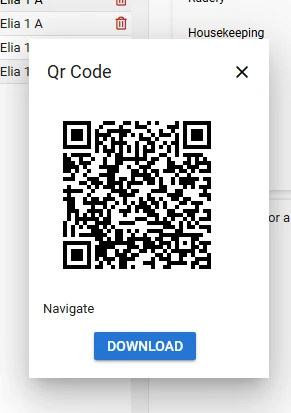
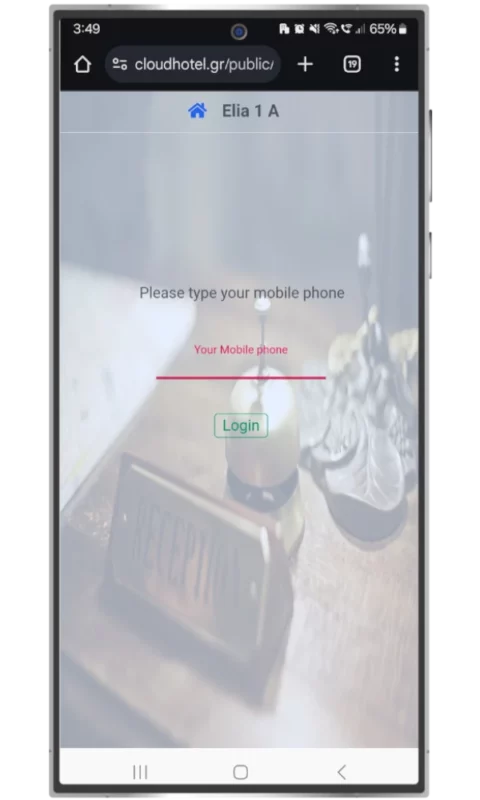
Customer scans the QR Code that is in his room. He will lunch the login page.
That's where he will find a filed. He has to complete his mobile phone.
For example, during the checkin process, we complete out customer's mobile with number "6900000000". User has to complete this number to login only if this number is associated with the Guest in the room. That way, we can be sure that someone not-guest will access the Guest App or that our guest will login only in his room's service.




 English
  Ελληνικά